DeskPulse
Windows desktop companion widget and dashboard app.
DeskPulse is a lightweight desktop companion designed to keep your most important daily information visible at all times, without cluttering your workflow.
What is DeskPulse?
DeskPulse is an elegant Windows application that renders floating, customizable widgets directly on your desktop wallpaper. From tracking local weather and alarms to monitoring CPU utilization and hardware sensors, it provides quick glanceable utilities tailored to your desktop workspace.
Floating Widgets
Position clock, calendar, weather, notes, alarms, and system metrics freely on your screen.
Settings Center
Fine-tune widget visibility, layouts, weather locations, clock styles, and startup preferences.
Custom Themes
Switch between Clean Dark, Light, Compact Minimal, and custom color-accent modes.
Privacy-First & Local
All settings, notes, checklists, and configurations are stored offline on your device.
Why I am building this
I spend long hours at my desk coding, modeling parts for CNC, or monitoring laser cuts. I wanted a way to keep essential information — like system temperatures, simple reminders, local weather, and calendar events — visible in the background without constantly toggling between different browser tabs or heavy apps.
Existing widget tools often felt too bloated, had invasive tracking, or lacked clean personalization options. DeskPulse is built to be extremely lightweight, localized, and styled exactly to fit a modern workspace. It connects to my core philosophy of crafting useful digital companions for real-world daily workflows.
App Interface Preview
Real screenshots from the DeskPulse settings control panel and floating desktop widgets.
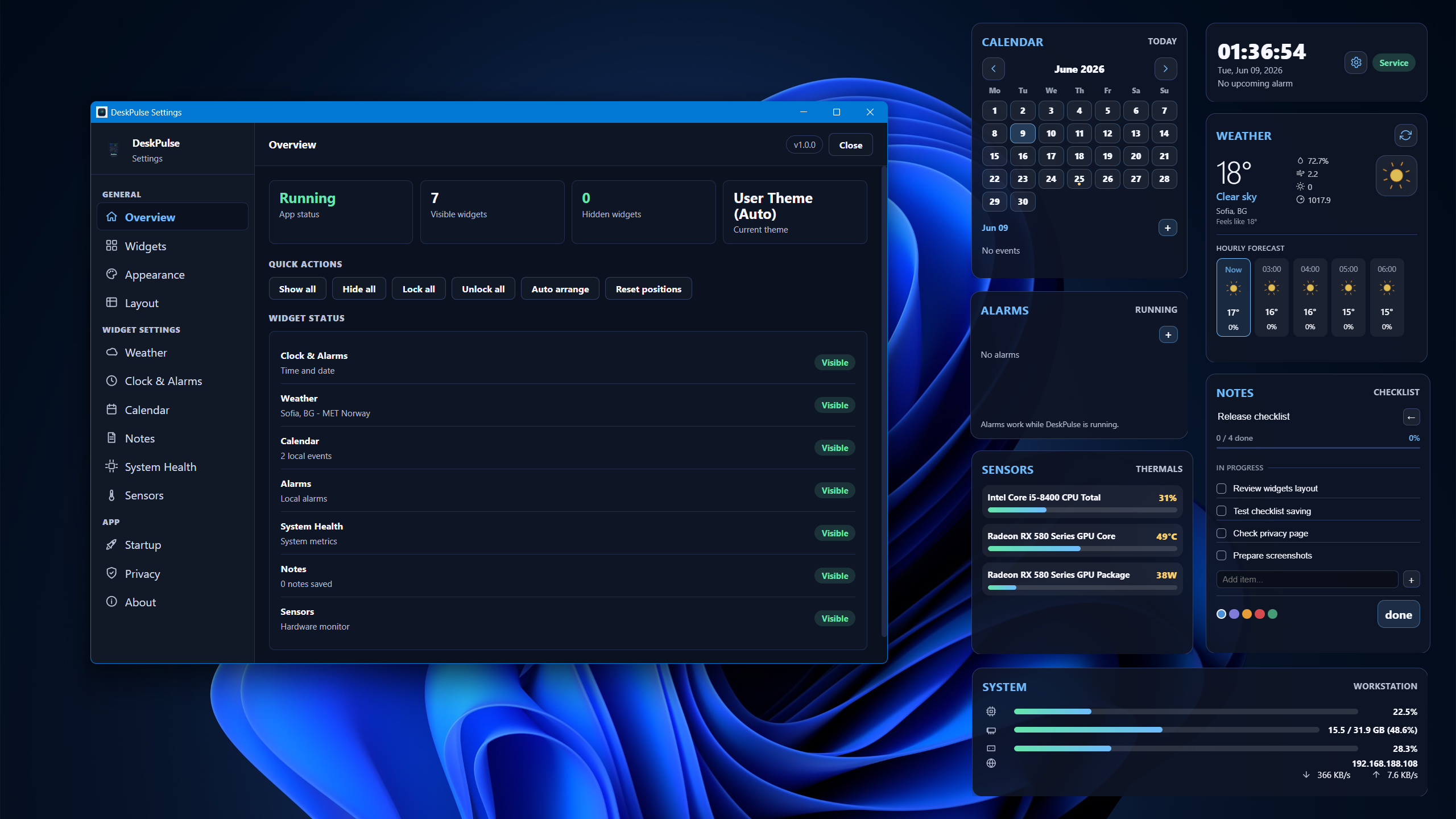
Settings Overview: Toggle widgets, monitor memory usage, and check API connectivity.
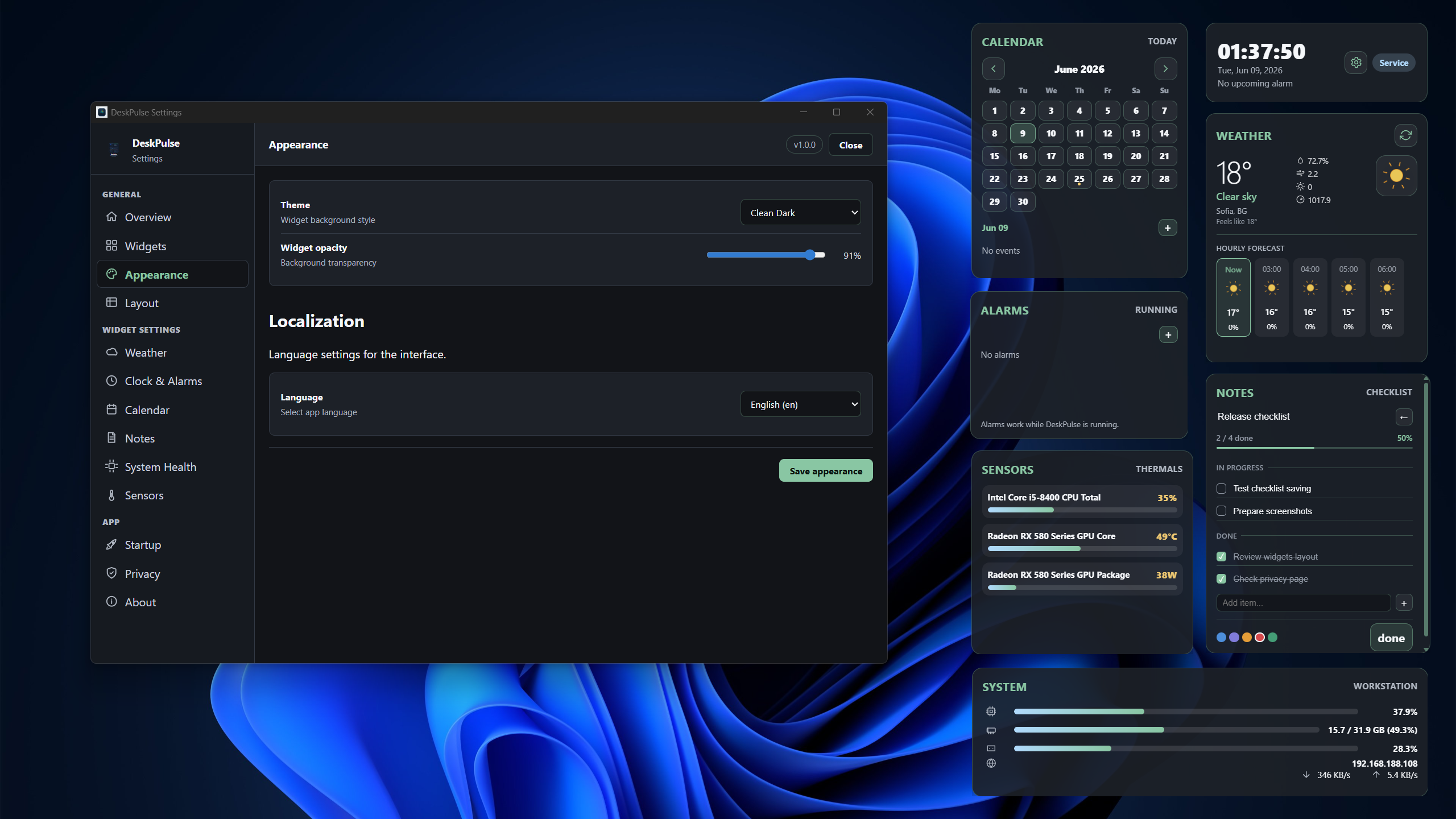
Appearance Settings: Customize themes, layout scaling, and language options.
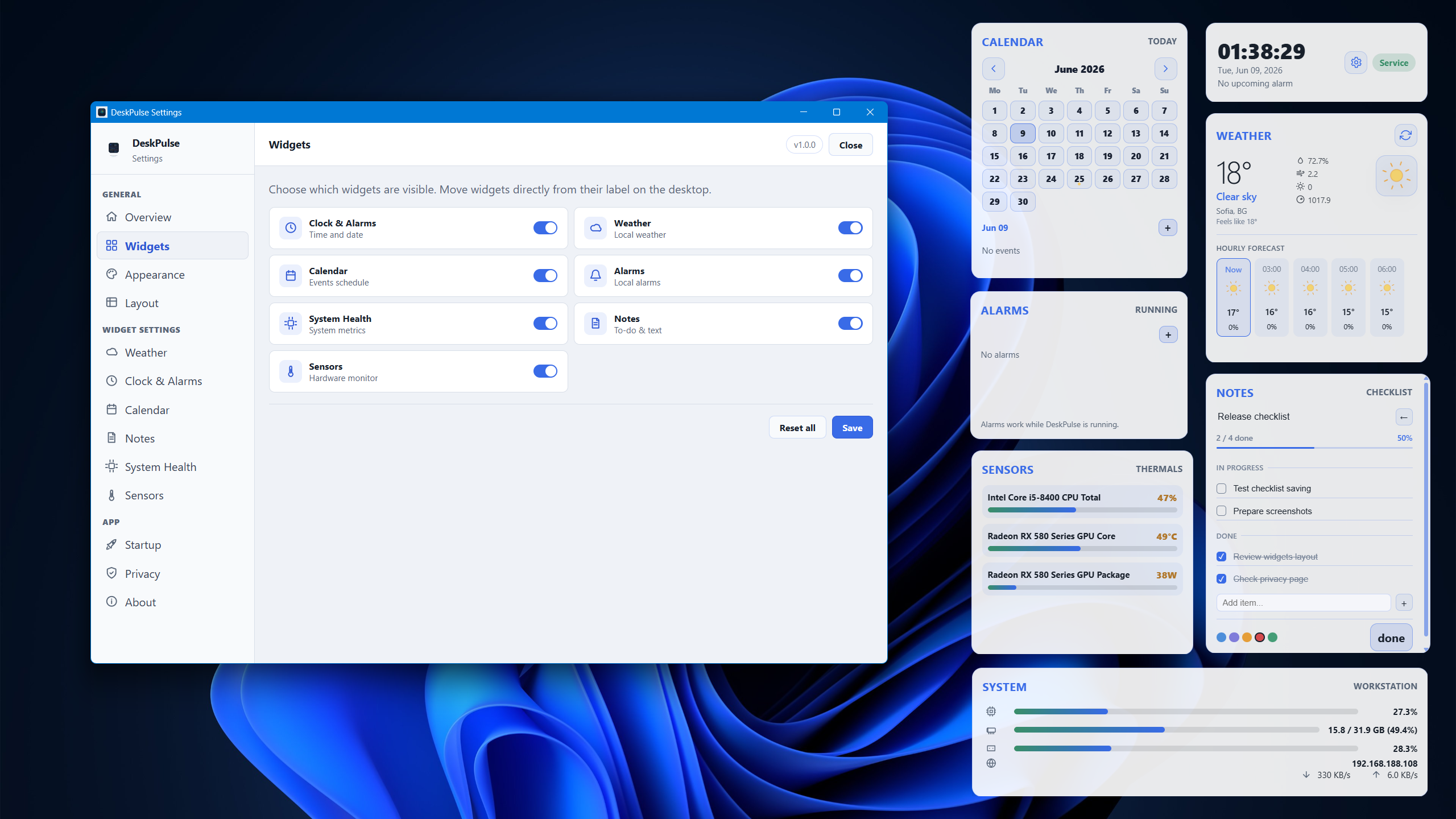
Widget Configuration: Set individual scale, opacity, and positioning controls.
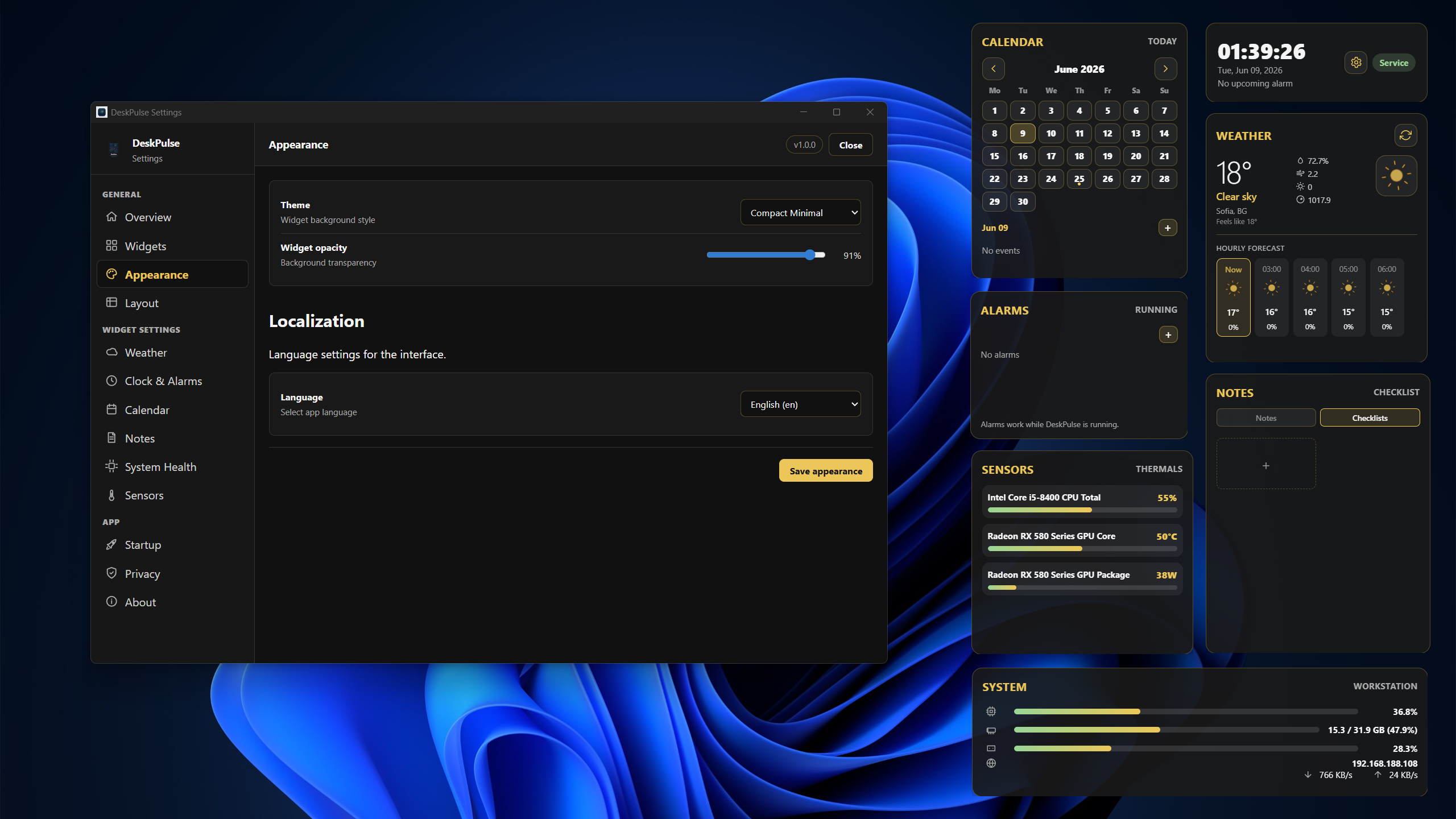
Compact Mode: A clean, minimal layout with a custom yellow color accent theme.
Core Features
The application includes a clean control center and widget managers to let you shape your desktop experience.
- ▪ Clock & Alarms: Multiple clock faces, world times, and reminder alarms.
- ▪ Weather Widget: Local weather forecasts, temperatures, and updates via API.
- ▪ Notes & Checklists: Quick text editor and todo list widget pinned to your screen.
- ▪ System Health & Sensors: Real-time CPU, RAM, disk usage, and temperature indicators.
Design & Interface
A clean settings panel built to look like a native Windows utility, combined with semi-transparent glassmorphic widgets.
- ▪ Compact widget cards designed to read clearly over any desktop wallpaper.
- ▪ Clean Dark, Light, and Compact Minimalist themes to match your layout.
- ▪ Draggable widget placement with coordinate locking to avoid accidental moves.
- ▪ Multilingual interface with settings stored local-first.
Technical Direction
Built on a modern cross-platform system, optimized specifically for Windows performance and resource efficiency.
Tauri v2
Tauri v2 for lightweight native Windows app compilation.
SQLite DB
SQLite local database for saving notes, check-lists, and alarms.
API & Sensors
External weather integration with optimized polling to save system resources.
Development Roadmap
1. Layout & Positioning
Polish floating widget coordination, draggable behaviors, and snapping.
2. Native Onboarding
Create a smooth setup wizard for weather, themes, and basic widgets.
3. Calendar Sync
Add support for displaying calendar events from local ICS files.
4. Public Distribution
Published on Microsoft Store, with future updates focused on onboarding, widgets, calendar, and polish.
Available now on Microsoft Store
DeskPulse is available now on Microsoft Store.